MSI Kombustor
MSI Kombustor is a utility for testing GPU performance and graphic cards stress tests.
Safe & Secure
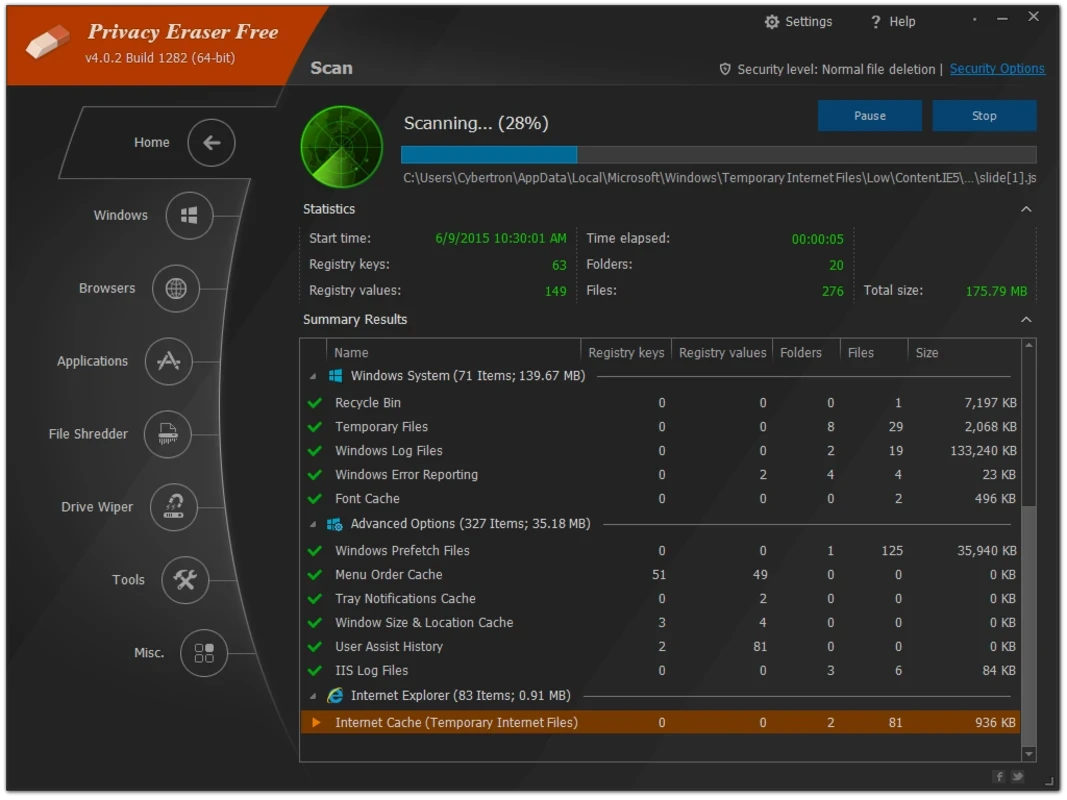
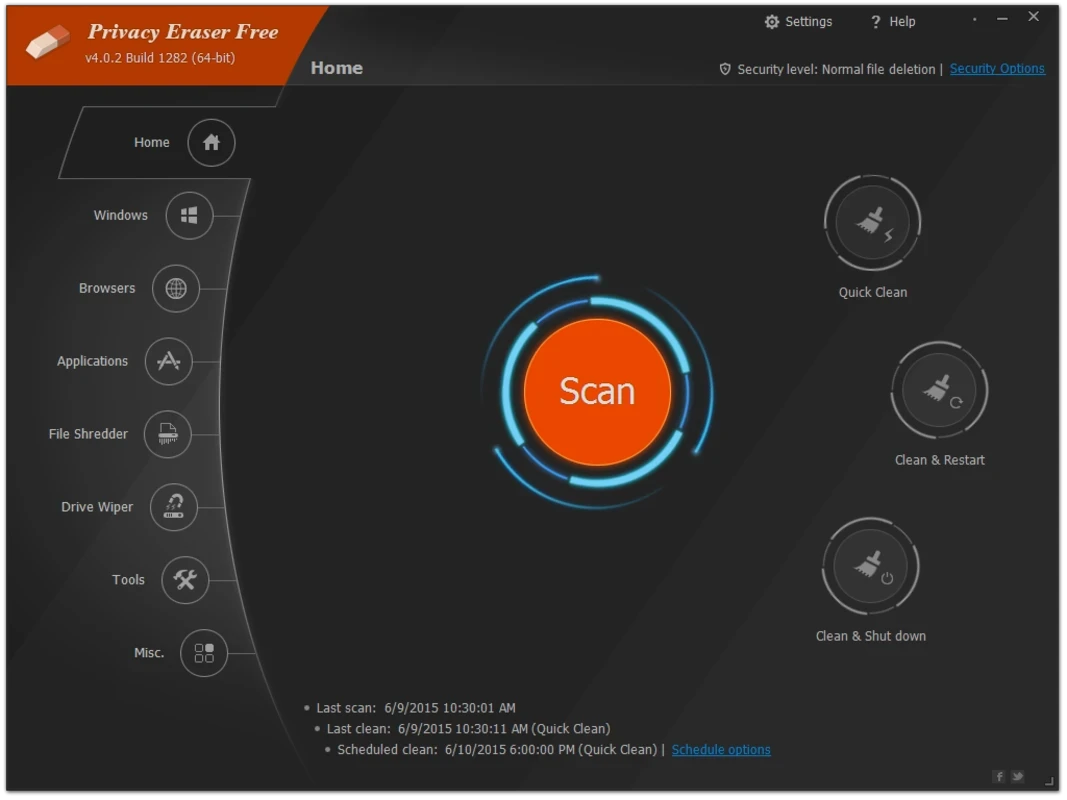
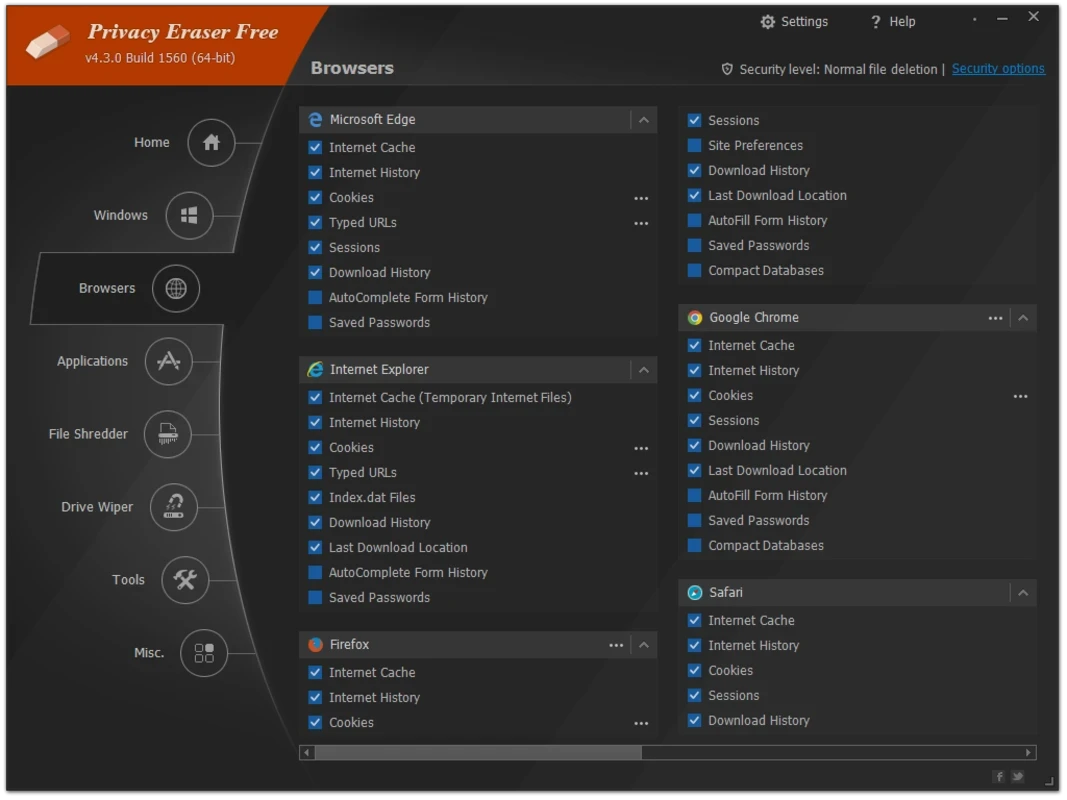
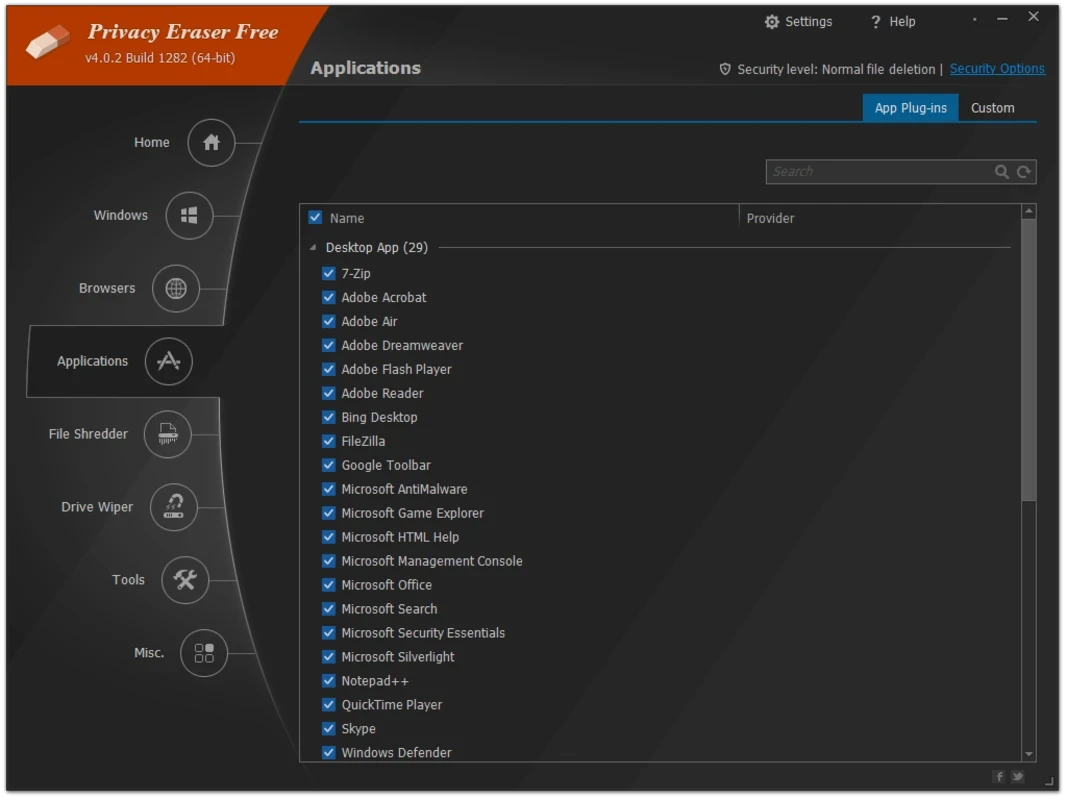
Privacy Eraser Free is a simple yet powerful tool to ensure foolproof security and privacy for your digital life, removing every trace of your activity, such as deleting your browser’s history, cache files, cookies, temporary files, and recent documents. It is the best combination of browser-trace removal, Windows cleanup, file shredding, and drive wiping.
We use our computer for different purposes, from enhanced browsing experience to increased productivity. Multiple traces are created, such as temporary files, memory dumps, and logs by applications and operating systems. So, we need a solution, such as Privacy Eraser Free, to avoid all such clutter.
You will find strong privacy protection as well as cybercrime prevention to make your browsing experience free of traces of your digital activity. It offers an eye-catching GUI with an easy-to-understand structure for analyzing the entire system and gives detailed privacy-related information. It offers a statistical summary of findings after completing the scanning process. In this way, you can easily explore traces and other malicious items from Windows Explorer, the OS, installed browsers, and applications. A single click will start the cleanup process.
You will find multiple advanced features, such as File Shredder that deletes selected files and folders, and Drive Wiper manages your drive while addressing residual and hidden data. It offers multiple options for erasing your history, such as zero-filling, options identified with U.S. Department of Defense standards, and even the Peter Gutmann algorithm. However, keep in mind that you can recover a deleted cookie easily, but overwritten data can’t be recovered. So, ensure you have selected the correct file or drive before applying the stronger method.
You can erase all unnecessary content from your browsing history and also clean desktop apps, Windows files, and system options such as temporary files, DNS cache, and Start Menu Run History. Multiple other tasks are also available, such as enabling, disabling, and removing add-ons, changing the settings of Internet Explorer, adding of different accounts for checking, uninstalling on unnecessary apps, selecting programs for startup while booting your computer, and restoring of computer to a certain point, before you start cleaning.
Pros
Cons

MSI Kombustor is a utility for testing GPU performance and graphic cards stress tests.

Unlocker allows you to delete, move, and rename locked files from your operating system

Custom Resolution Utility (CRU) fine-tuning and customizing resolution on pc

GS Auto Clicker use for repetitive clicking of the mouse

Caffeine, a lightweight and free-to-use utility to prevent your PC from falling asleep or locking up
Windows 10 Update Assistant updates your pc to the latest version of Windows 10